
AI Workflow Implementation: Stop Duplicate Data Entry
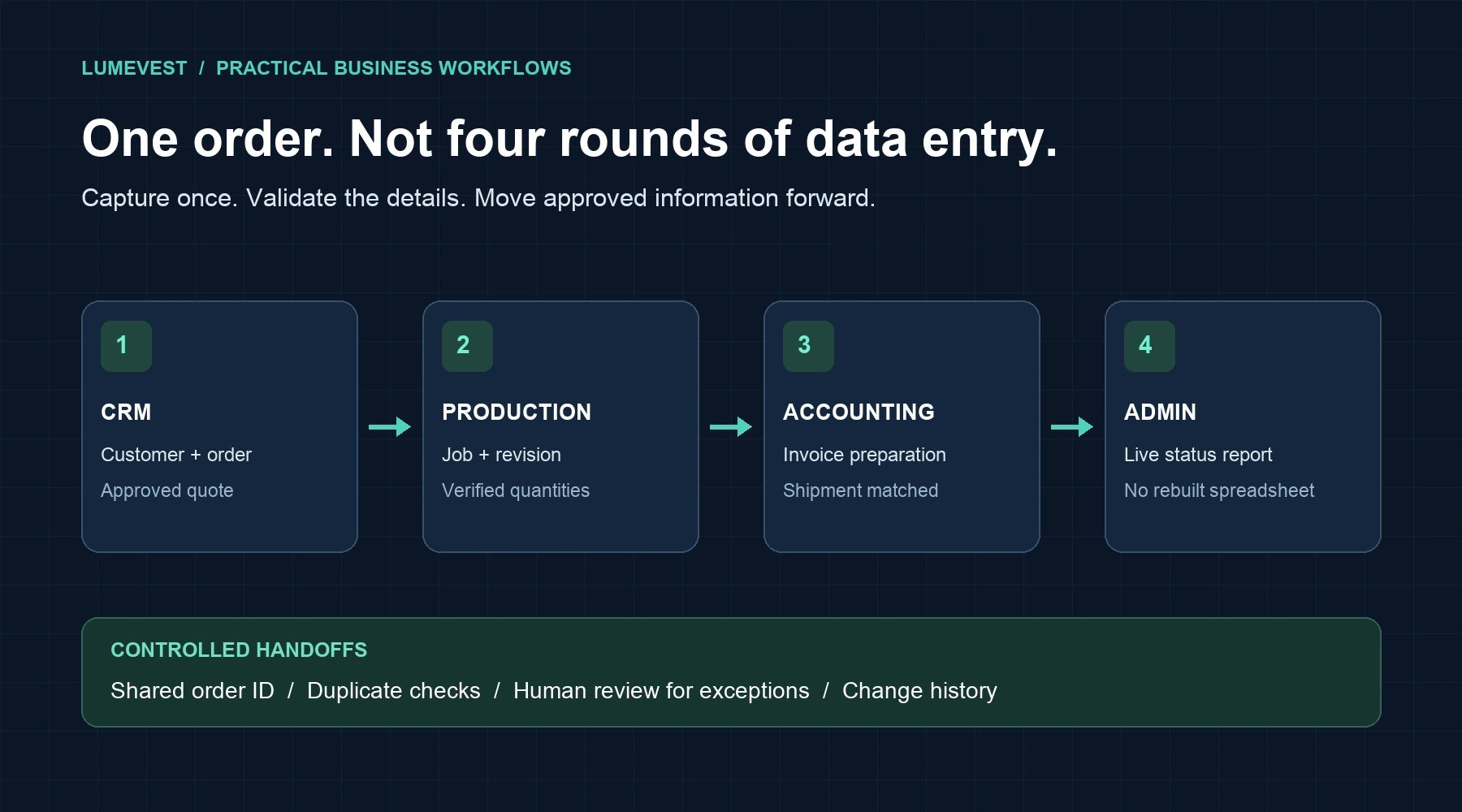
A customer order arrives by email. Sales enters it in the CRM. Someone in production retypes the details into a job record. Accounting enters them again to prepare an invoice. An administrator updates a spreadsheet so the owner can see what is happening.
Everyone is busy, but much of that work is moving the same information between systems. AI workflow implementation should start here: reducing repeat work, improving handoffs, and giving people reliable information without another round of data entry.
Start with one repeated task, not an AI shopping list
Choose a process that happens often, has a clear owner, and causes visible friction. Good starting points include entering customer orders, matching supplier invoices to purchase orders, updating job status, or preparing a weekly operations report.
Ask the people doing the work three questions: Where does the information first arrive? Where is it typed again? What happens when it is wrong? Those answers are more useful than a list of software features.
Map the handoff across CRM, production, accounting, and admin
Consider an order-to-invoice workflow. The goal is not to give every department a separate AI assistant. It is to move an approved record through the business without losing its meaning.
- CRM: Capture the customer, contact, approved quote, and order reference in a consistent record.
- Production: Use approved order details to create or update the job, with the correct quantities, specifications, and revision.
- Accounting: Prepare invoice information from verified order and shipment records, while keeping financial approvals with the appropriate person.
- Admin: Update status reports from those records instead of asking someone to rebuild the same spreadsheet every week.
Each handoff needs a shared identifier, such as an order number. A customer's name alone is not a reliable way to match records across systems.
Use AI for messy inputs and rules for predictable steps
Not every workflow needs AI. If two systems can exchange structured fields through a supported integration, use that connection. A simple rule is often the right tool for a predictable status update.
AI is useful when the input is less organized: an email, a scanned purchase order, or a note describing a customer request. It can help extract fields, classify documents, or draft a summary for review. It should not guess at missing prices, part revisions, delivery commitments, or payment instructions.
For example, AI could read a purchase order and propose the customer reference, line items, and quantities. Validation checks would compare those details with the approved quote. A mismatch would go to a person before a production job is released. That is a controlled workflow, not an unattended guess.
Make duplicate prevention part of the design
Connecting software can create new problems if every retry produces another order or invoice. Before a workflow writes to a system, it should check whether that transaction has already been processed. A repeated event should update the intended record or stop for review, not create a second one.
Decide which system owns each field. The CRM might own contact details, production might own job status, and accounting might own invoice status. Other systems can display that information without competing to overwrite it.
Keep a record of what changed, when it changed, and which source triggered it. If a connection fails, assign the exception to a named person and make it visible. Silent failures simply move the manual work somewhere harder to find.
Pilot safely before expanding
Start with a narrow group of transactions and a review step before important updates. Test ordinary cases alongside missing fields, duplicate orders, changed quantities, revised specifications, and unavailable systems.
Give integrations only the access they need. Check how any AI provider stores and uses submitted data before sending customer, employee, or financial information. Keep pricing approvals, payment changes, and contractual commitments behind explicit human controls.
The first pilot should prove that the process is reliable and that staff can handle exceptions. Expand only after the team trusts the results and knows how to pause or reverse an incorrect update.
Measure less rework, not more AI activity
Record a baseline before implementation. Track manual entries per transaction, time spent processing an order, corrections required, and the delay between completion and invoicing. After the pilot, compare the same measures and include the time spent reviewing exceptions.
The useful result is not how many AI tasks ran. It is whether your team spends less time retyping information, resolves problems faster, and has a clearer picture of the business.
Choose your first workflow
Look for one place where the same information is entered twice this week. Map that handoff before adding another tool.
Ready to reduce repeat work? Start with the Lumevest AI Workflow Review & Action Plan — $295: one workflow, a remote review, and a written next-step plan. Review and planning only; implementation and software costs are separate.